Paste a link
Add any public YouTube URL or video ID.
Read, search and export every word. AI Watch sees what’s on screen, too. Bring both to your AI assistant with MCP.
 One video. More ways to use it.Video example

Some moments are easier to see than describe. AI Watch reads the speech and frames together, then links its findings to the moment they come from.
Explore AI WatchAI Watch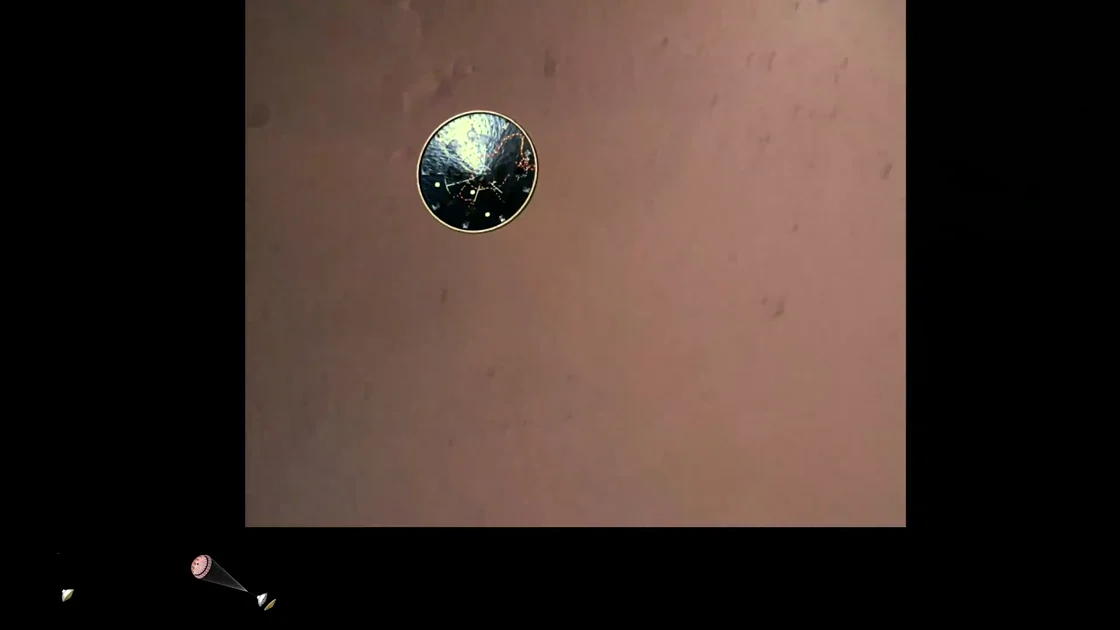
Actual AI Watch analysis excerpt
“Circular camera view showing heat shield separation and first look at the Martian surface.”
The source frame at 00:35 is within this evidence range. The quotation is unchanged from the saved analysis.Real onboard footage · NASA/JPL-Caltech · Original source ↗Interactive example · no live analysis or credits used
Connect VidWords through MCP to bring transcripts and AI Watch analyses into Claude, ChatGPT, Cursor or Codex. Start with a YouTube link, or revisit a saved analysis like this one.
Quick install: Claude Cursor VS Code
MCP needs an account. Free includes an API + MCP trial; paid plans include ongoing access. See access and usage limits.
Building your own workflow? Explore the REST API →
Example assistant chat · the real VidWords result card and MCP data · no live request

Actual MCP response · selected evidence item
{
  "analysisId": 277,
  "status": "ready",
  "videoId": "4czjS9h4Fpg",
  "analysis": {
    "evidence": [
      {
        "startSeconds": 33,
        "title": "Heat Shield Separation",
        "description": "The heat shield separates and falls away, revealing the Martian surface below.",
        "onScreenText": "Heat shield sep.",
        "evidenceType": "both",
        "confidence": "high",
        "at": "0:33",
        "youtubeUrl": "https://www.youtube.com/watch?v=4czjS9h4Fpg&t=33s",
        "frameUrl": "https://vidwords.com/img/yt/4czjS9h4Fpg/at/33.jpg"
      }
    ]
  }
}
Fields shown are unchanged from the saved response. Read the complete response ↗
Actual source frame · 00:35
This frame is two seconds after the analysis’s 00:33 heat-shield moment. The returned frame URL points to that second.
Add any public YouTube URL or video ID.
Find the moment that matters, with its exact timestamp.
Ask about the spoken words and follow the answer back to the transcript.
Save, share or build the transcript into your workflow.
Search the transcript, jump to a moment, and keep notes beside the video. Everything stays in your VidWords library.
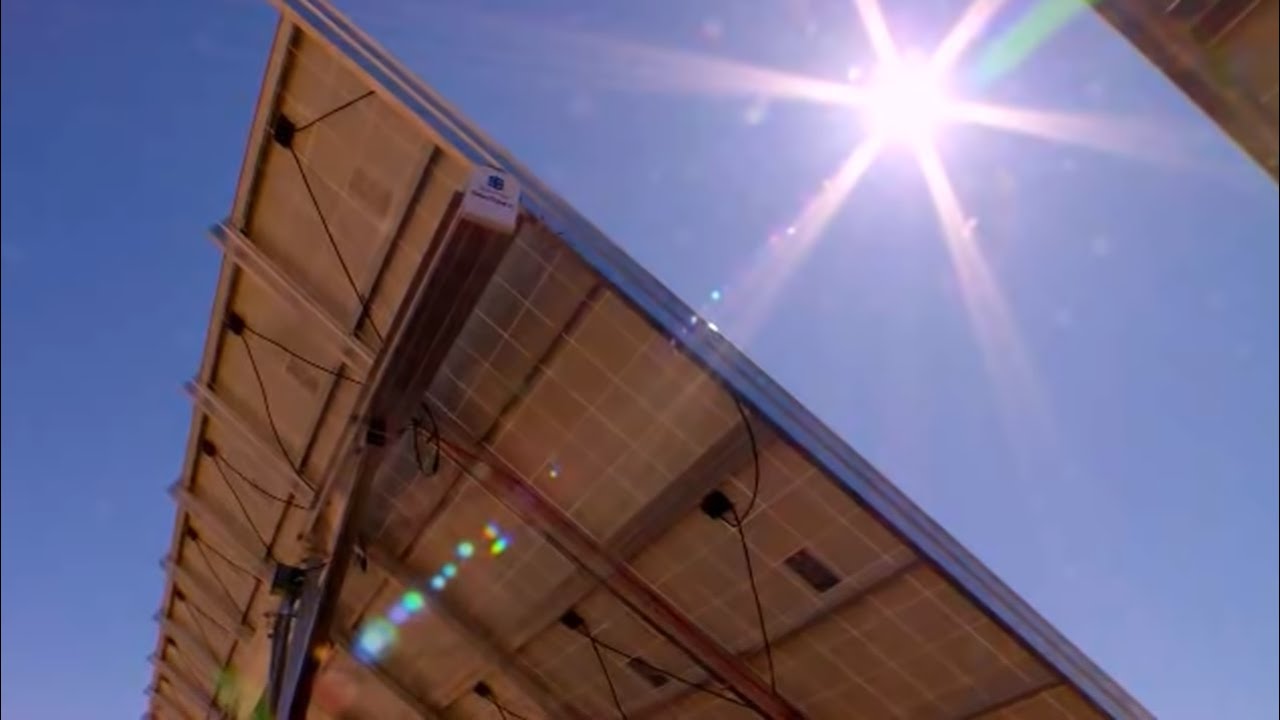
youtube.com/watch?v=0elhIcPVtKEInteractive preview
U.S. Department of Energy
Original video image and English caption excerpts. View source ↗
VidWordsVideo transcript
Search these excerpts, then open the source moment.
3 excerpts from the video
No matching excerpt. Try “photons”, “electrons” or “electricity”.
A preview of the side panel. Timestamps open YouTube in a new tab.
Radar
Follow a channel and Radar emails you a digest of its new videos, each with a short AI summary and links to the moments worth watching — so you know what a video says before you decide to watch it. Monitoring is free; summaries stay inside a monthly cap you agree to.
Explore RadarPast a certain point the unit of work stops being one video, and stops being one person.
Paste a playlist or a channel handle and take the whole thing in one job. Every transcript lands in your library with the rest.
Start a bulk jobShare a Radar watchlist with your team: everyone sees the same channels and gets the same digest. A teammate does not need a paid plan of their own.
How teams workA few ways to put your videos to work. Illustrative outputs based on the solar-energy video above.
Turn a lesson into study notes.
Practice: explain the process in your own words.
Find the moment worth sharing.
00:55 → 01:07
Open with the question. Explain the electron movement. End with the current.
Keep the source timestamp with your draft.
Keep your evidence attached.
“their energy frees some electrons in the semiconductor material.”
00:55–01:07 · Energy 101: Solar PV
Saved passage, timestamp and video in one place.
Bring the useful part to the team.
Energy 101: Solar PV
Share selected transcripts from your Library.
3 free transcripts a month without an account. Free account: 25 Cloud Requests a month + unlimited transcripts in the Chrome extension.
Compare every plan$0 /month
No card required.
$10 /month
Or $100/year — save $20
Most popular
$29 /month
Or $300/year — save $48
$79 /month
Or $830/year — save $118
VidWords is a YouTube transcript extractor: paste a link to a video or a Short and it returns every spoken word as text, in clean paragraphs with clickable timestamps, ready to copy or export as TXT, SRT, VTT, CSV or JSON. It works in any browser, phones included, in whichever caption languages the video has. A video with no captions can be transcribed from its audio on a paid plan or with purchased AI Units. Paid plans also extract whole channels and playlists in one batch, and any account can search saved transcripts by what was actually said or reach VidWords through a REST API or an MCP server that AI assistants call directly. 3 free transcripts a month without an account. Free account: 25 Cloud Requests a month + unlimited transcripts in the Chrome extension. A free account also includes 200 monthly AI Processing Units.
A link can carry the video with it: https://vidwords.com/?v= followed by a YouTube URL
or video id opens this page with that video already extracted — no account and nothing to install.
The id may be bare, or a whole watch?v=, youtu.be,
/shorts/ or /embed/ link, URL-encoded; ?url= and
?video= do the same thing. It is the quickest way to hand someone the transcript of a
video they just sent you, and the form an AI assistant can pass straight back to whoever pasted the
link.
Paste a public YouTube link into VidWords and select Get transcript. You will receive a searchable transcript with clickable timestamps that you can copy, summarize or export.
Every word. The transcript is the video’s full caption track, word for word, with clickable timestamps—not a summary. Switch the copy menu to Text only for plain, copy-pasteable text without timecodes. A summary is a separate, optional step. Captions YouTube generated automatically can mishear names and punctuation, and timing is per caption line rather than per individual word.
Yes. AI Watch reads speech and video frames together, then supports its answers with exact timestamps, quotes and frames you can inspect.
TXT, MD, SRT, VTT, CSV and JSON—SRT and VTT are subtitle files with timecodes, CSV and JSON are for data work—plus a developer API for automations and integrations.
Yes. Pick .srt or .vtt in the download menu and you get a standard subtitle file with timecodes, ready for a video editor or player. Here is the longer walkthrough on downloading YouTube subtitles.
There is no one-click transcript-to-.docx button; the download formats are the five above. For a Word document you switch the transcript to plain text and paste, which takes about twenty seconds and is covered in YouTube transcript to Word. AI Watch is the exception: its analysis exports as a formatted .docx with chapter headings and real frames.
Yes to both. In the YouTube app tap Share, then Copy link, and paste it here in your phone’s
browser—a Shorts link works exactly like any other. YouTube strips the transcript control out of
the Shorts player, so a
Shorts transcript is the one case where a
tool genuinely saves you the hunt. Quicker still: type vidwords.com/?v= in front of
the link in your address bar and the page opens with that transcript already extracted.
Yes, on a paid plan (Starter and up). Paste a channel handle or a playlist link into Bulk extract to queue many videos in one run—see channels & playlists, or drive it from the API. On the free plan, extract the videos one at a time.
3 free transcripts a month without an account. Free account: 25 Cloud Requests a month + unlimited transcripts in the Chrome extension. A caption-based cloud transcript uses 1 Cloud Request; other cloud tools share that balance. Monthly allowances reset on the 1st, at 00:00 UTC.
3 free transcripts a month without an account. Free account: 25 Cloud Requests a month + unlimited transcripts in the Chrome extension.
Or connect VidWords to your AI